2 minutes
Passive Reconnaissance
DNS - CLI Tools
nslookup
nslookup allows you to interactively query name servers. If you don’t want to use it interactively, you can use the syntax nslookup DOMAIN or nslookup DOMAIN NAME_SERVER
Here are a few examples:
nslookup effisec.com
nslookup -type=A effisec.com
nslookup -type=MX effisec.com
nslookup -type=NS effisec.com
nslookup -type=SOA effisec.com
nslookup -type=MX effisec.com george.ns.cloudflare.com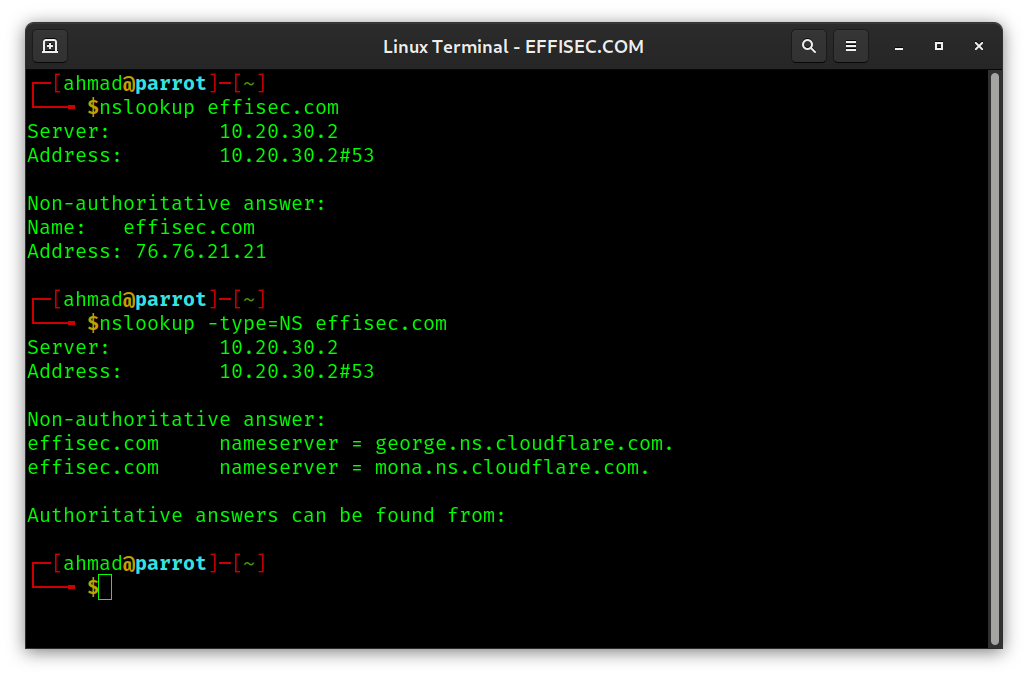
dig
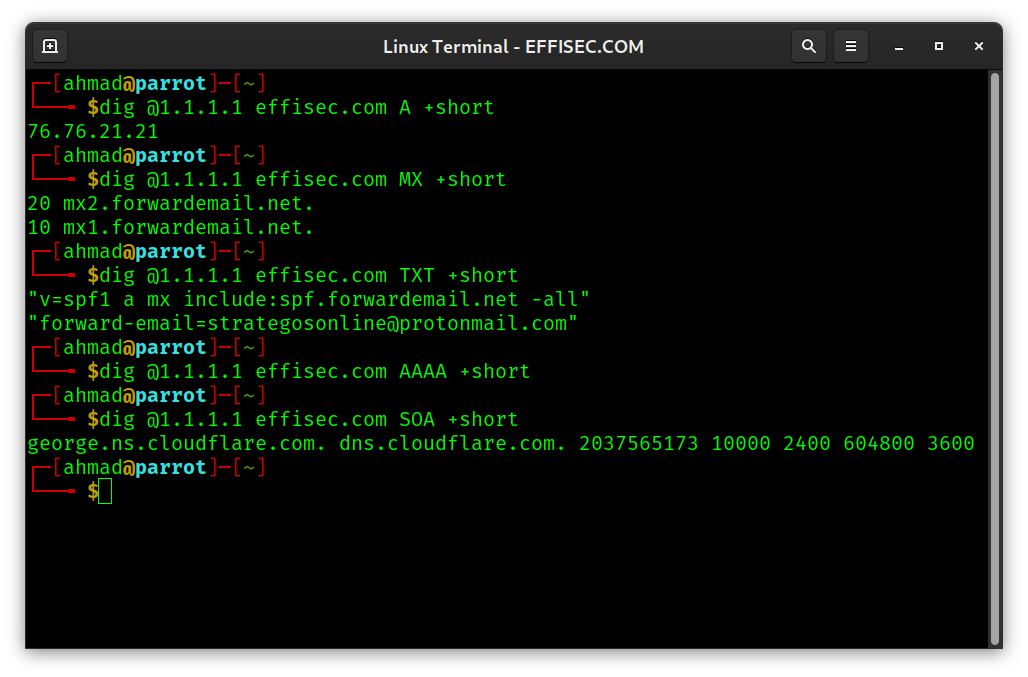
dig is a DNS lookup utility. You might use it as dig @NAME_SERVER DOMAIN or preferably as dig @NAME_SERVER DOMAIN +short
dig @1.1.1.1 effisec.com A +short
dig @1.1.1.1 effisec.com MX +short
dig @1.1.1.1 effisec.com TXT +short
dig @1.1.1.1 effisec.com AAAA +short
dig @1.1.1.1 effisec.com SOA +short
dig -x 76.76.21.21 +short
Note that I used 1.1.1.1 as the name server to query, but you can use any other public name server.
What did we discover?
Based on the results of nslookup or dig we can infer a few points regarding the current setup of effisec.com.
- Based on A records,
effisec.comresolves to76.76.21.21. We should try to find more information about it. - Based on MX records,
effisec.comis using the serviceforwardemail.netto handle all incoming emails. - Based on TXT records, we revealed more information about
effisec.com. In this case, it revealed the email address emails are forwarded to. - Based on NS records, we can see that
effisec.comrelies oncloudflare.comDNS servers.
Of course, this information is subject to change any time. The domain owner might make changes to his email configuration, name servers, etc. at any time. He might also add an IPv6 address which does not exist now.
whois
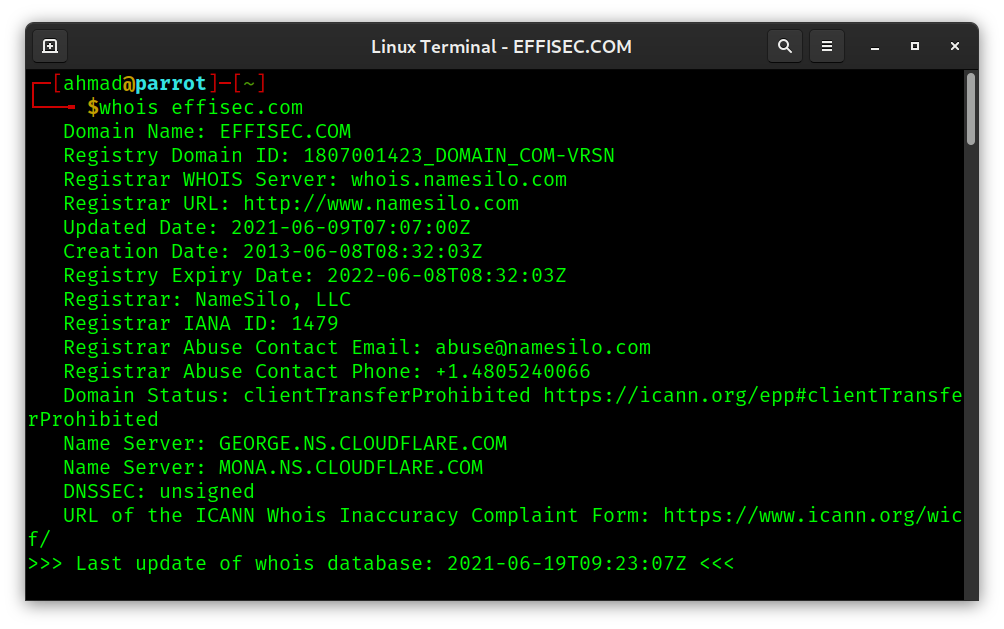
whois DOMAIN looks up publicly available domain registration information.
whois effisec.com is an example.

DNS - Online Services
Many online services offer to perform DNS queries for you. One polished website is nslookup.io. Here is an example result.
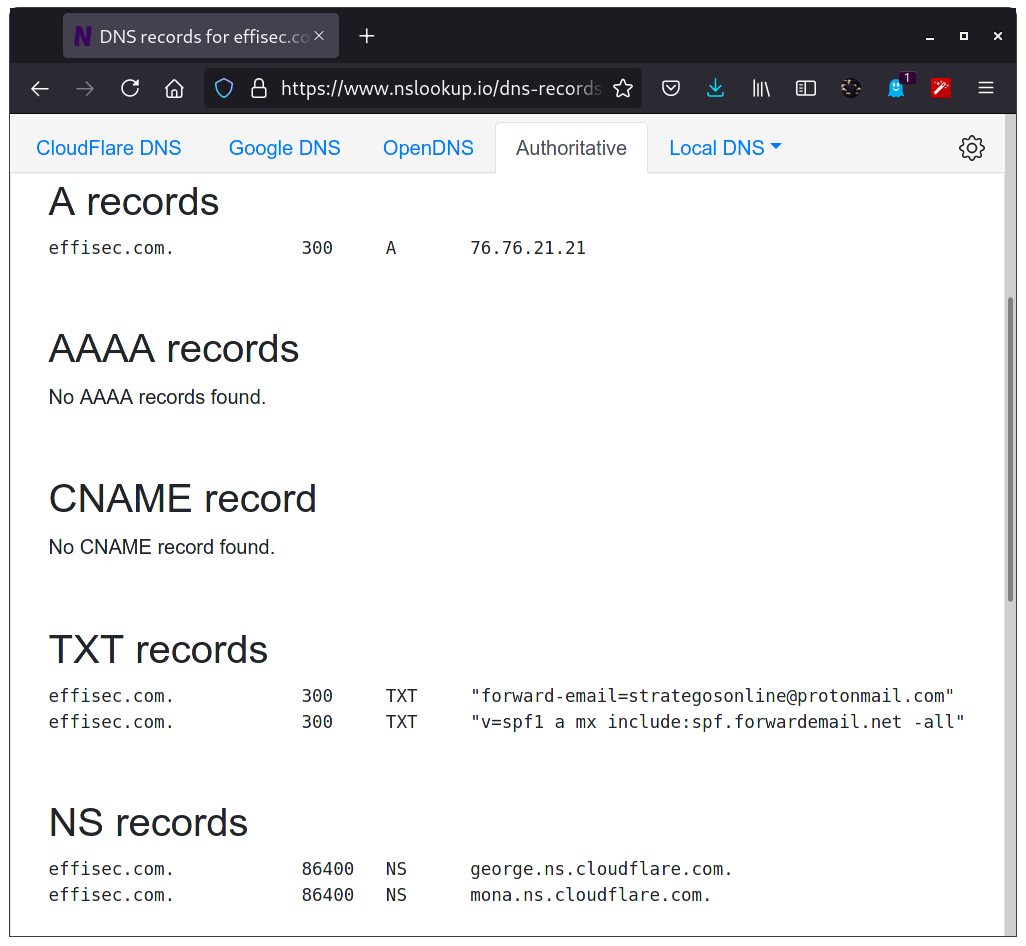
Generally speaking, these services start free, but once they start getting enough visitors, they move to a monetized model. Therefore, if you prefer to use such online services, expect to keep updating your favorite tool or get a subscription.
Open Source Intelligence (OSINT)
“Open source intelligence is derived from data and information that is available to the general public. It’s not limited to what can be found using Google, although the so-called “surface web” is an important component.” Continue reading the original post.
Popular tools include:
- Maltego
- Recon-ng
- theHarvester
- Shodan
- Google Dorks
Other tools include:
- Metagoofil
- Searchcode
- SpiderFoot
- Babel X